Switch to paid
A client pays: paid mode with a monthly refill date, then the plan's leads, refilled now.
A client pays: at sign-up for a paid plan, or in your payment succeeded webhook when a trial converts. Two calls, in this order.
1. Paid mode, with the monthly refill date
PUT /admin/websites/toggle-limits/{websiteId} with activeWebsite: true and refreshOnDate = their next billing date. This ends a trial.
/admin/websites/toggle-limits/{websiteId}curl -X PUT "https://rest-admin.happierleads.com/admin/websites/toggle-limits/64b7f0a1c2d3e4f5a6b7c8d9?privateKey=YOUR_KEY" \ -H "Content-Type: application/json" \ -d '{ "trialEnabled": false, "activeWebsite": true, "enableWebsiteLimits": true, "refreshOnDate": "2026-11-30"}'2. The plan's leads, refilled to full now
PUT /admin/websites/set-limits/{websiteId} with the plan's numbers and resetCredits: true.
/admin/websites/set-limits/{websiteId}curl -X PUT "https://rest-admin.happierleads.com/admin/websites/set-limits/64b7f0a1c2d3e4f5a6b7c8d9?privateKey=YOUR_KEY" \ -H "Content-Type: application/json" \ -d '{ "credits": 2000, "emailAccounts": 5, "resetCredits": true}'Call both from your billing webhook and make it idempotent: the same event twice must give the same result. The JavaScript tab of each playground has the code.
What happens without you
Every month on refreshOnDate their leads refill to the plan's number and the date moves on a month. A normal renewal needs no call.
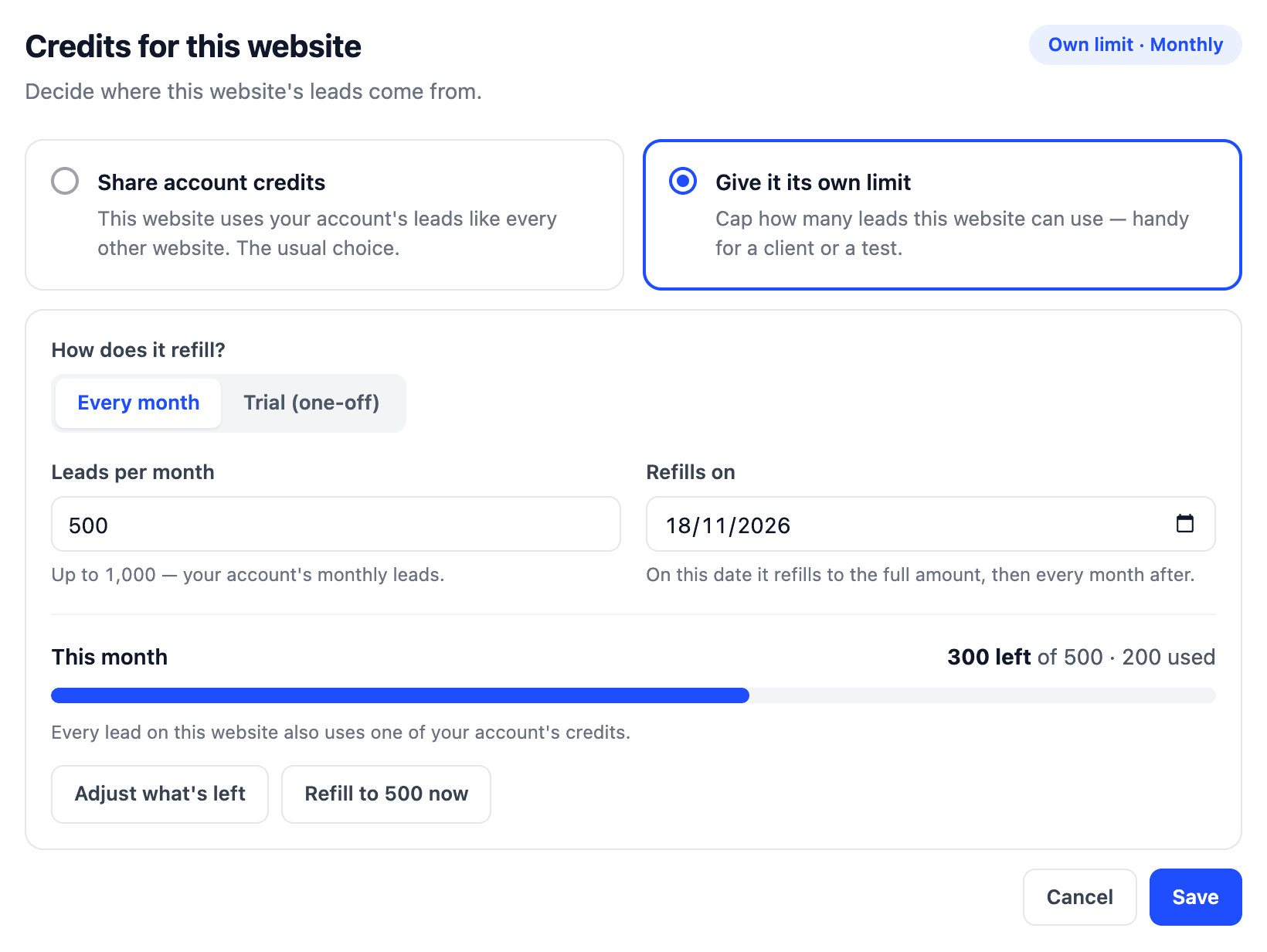
The same in your dashboard
| In the dashboard | In the API |
|---|---|
| Give it its own limit | enableWebsiteLimits: true |
| Every month | activeWebsite: true, trialEnabled: false |
| Leads per month | credits |
| Refills on | refreshOnDate |
| Refill now | resetCredits: true |
Next: change plan or billing date.